
How Encore works.
Two small apps: Encore on your Mac, Encore Receiver on the iMac. Your Mac sends an extra screen to the iMac over your own network or a cable.
Pair once
Open Encore Receiver on the iMac and it shows a 4-digit code. Type it in Encore on your Mac. Both remember the pairing, and from then on Encore connects by itself: open the notch panel or the window, and a green check tells you the iMac is your screen.

Cable first, Wi-Fi when you like
A cable (Ethernet, or Thunderbolt when both have it) always wins: every new connection starts on it, and on a cable the picture is pixel-exact. On Wi-Fi, typing, menus and small changes still arrive pixel-exact, and what moves turns sharp again once it stops. Choose Sharp or Smooth per iMac, and Ultra for a studio-grade picture over a fast cable.
Design targets, not yet measured on every model: under 25 ms on a cable, around 60 ms on Wi-Fi. Aim for at least 400 Mbit/s for the highest quality.
Stays connected
- Open your MacBook? The iMac is back by itself, on the cable first.
- Wi-Fi hiccups? The picture climbs back to full quality by itself.
- The iMac keeps listening for your Mac, so it is there right away instead of asleep.
- Two iMacs on one Wi-Fi share it fairly; a cable takes over the moment you plug it in.
Monitor or smart display
Each iMac has one switch: Monitor or StandBy, in the Encore window and in the notch panel. On StandBy your windows come back to the Mac and no more video is sent, while the sound can keep playing. Switch back and it's a screen again, without reconnecting.
When it's not a screen
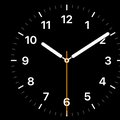
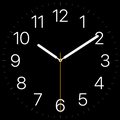
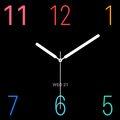
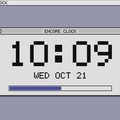
Between sessions, or when you pick StandBy, the iMac shows a clock face, widgets, HomeView, cards when something happens, and Now Playing when you play music to it over AirPlay. Pick the face on your Mac.


Bold Analog







Keyboard, sound and camera
- Keyboard and mouse: the ones plugged into the iMac control your Mac. Control-Option-Command-Esc on the iMac hands them back.
- Sound: play your Mac's sound on the Mac, on one iMac or on several at the same moment.
- Camera and microphone: over a cable, the iMac's camera works as your Mac's webcam.
Stays on your network
The picture goes straight from your Mac to the iMac, encrypted. No account, no Encore server, nothing uploaded. Hey Mac is off until you turn it on; then only the text of your question goes to the AI service whose key you added.
Questions
Is Encore really free?
Yes, Encore is free during early access. If that changes, you'll hear it in the app well in advance. No account, no ads, no tracking.
Which iMacs work?
Every Intel iMac from Late 2009 to 2020 with macOS 10.13 High Sierra or later. 2007 to Early 2009 (OS X 10.10 or 10.11): Encore Receiver Legacy. Look up yours on the compatibility page.
Which Mac do I need?
Any Mac on macOS 14 Sonoma or later: a MacBook Air, MacBook Pro, Mac mini, Mac Studio or a newer iMac.
Do I need a cable?
No. Wi-Fi works without anything. A cable is optional and faster: Gigabit Ethernet, or Thunderbolt if both Macs have it. Which cable to buy.
Why does macOS warn me the first time?
Encore is not registered with Apple, which costs a yearly fee. macOS asks once; the install guide shows the clicks.
Does my screen go over the internet?
No. The picture only travels between your Mac and your iMac, over your own network or cable. There is no account and no Encore server.
How fast is it?
Our design targets are under 25 ms on a cable and around 60 ms on Wi-Fi, with sharp text. We will publish measurements per iMac model.
Do I have to reconnect every day?
No. After the first pairing, Encore connects by itself when both Macs are on, and can wake a sleeping iMac where your network allows.
Can I use the iMac's keyboard, mouse and speakers?
Yes, from version 0.2. Turn them on under Use the iMac in Encore. Press Control-Option-Command-Esc on the iMac to switch back.
Can I connect more than one iMac?
Yes. Each iMac gets its own Connect button, and Connect All connects them together.
How do updates work?
From version 0.5.0, both apps update themselves. Older versions: download the latest once from the download page.
Does it work with an Apple silicon iMac?
Not as the second screen: Encore Receiver is for Intel iMacs. A newer iMac can be your main Mac.
My iMac is from 2007, 2008 or Early 2009.
Yes: download Encore Receiver Legacy on the iMac. It works on OS X 10.10 Yosemite and 10.11 El Capitan.
Is this made by Apple?
No. Encore is an independent project. iMac and macOS are trademarks of Apple Inc.
Give your old iMac a new life.
Two free apps: one for your Mac, one for the iMac.
Version 0.9.0 · Free · Updates itself